


How to Order Glasses Online
As you are browsing our vast catalog of custom eyeglass frames, you may be wondering how to place an order for RX glasses. While it may seem more complex on the surface, placing an order with lensmart is as easy as buying anything else over the Internet.
Step 1
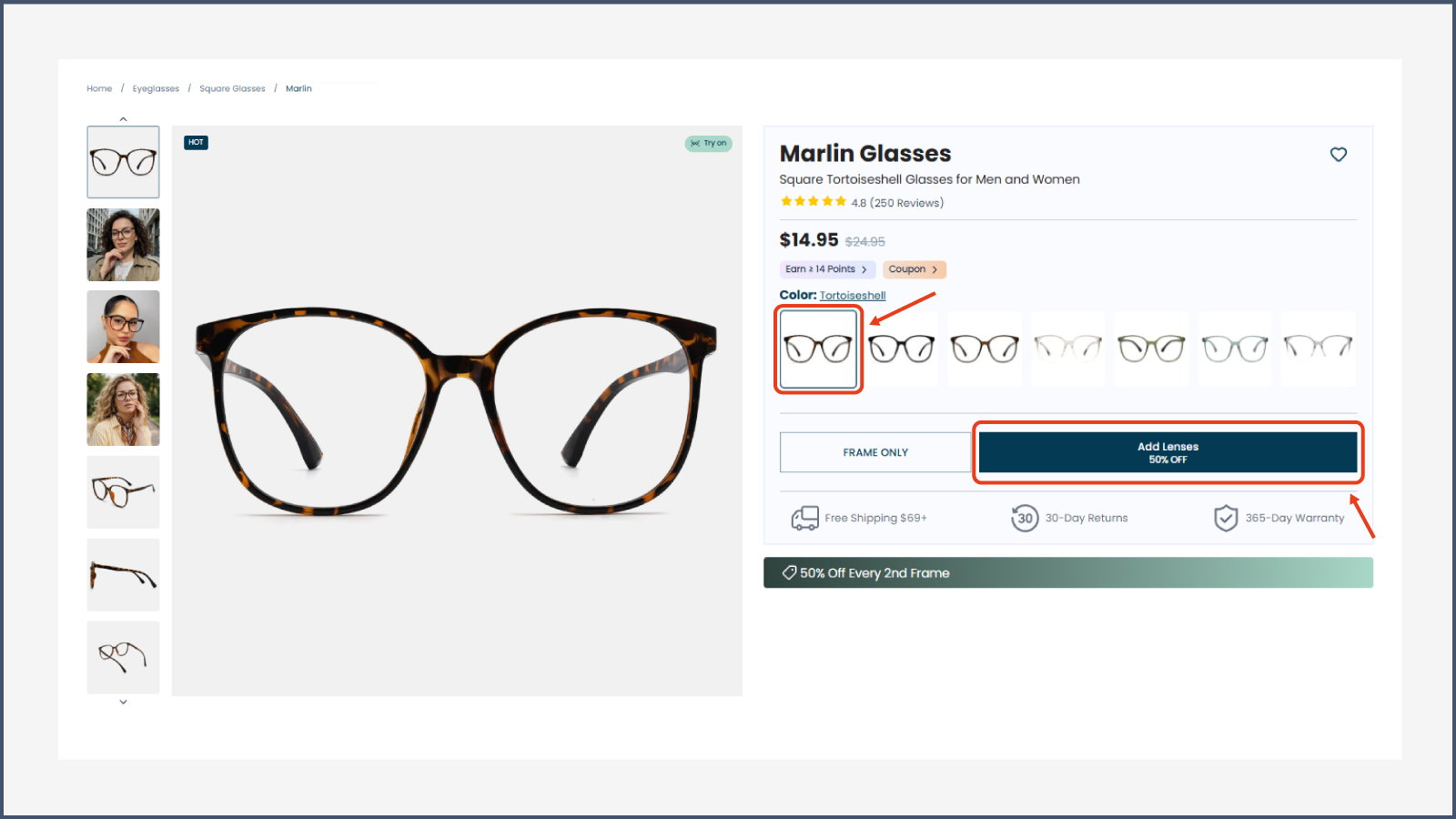
Choose the color you like! You can click "Add Lenses" to add any lens options you'd like. If you only need the frame without lenses, simply select "Frame Only." Check out lensmart eyeglass frame categories for more info on this.
Step 2
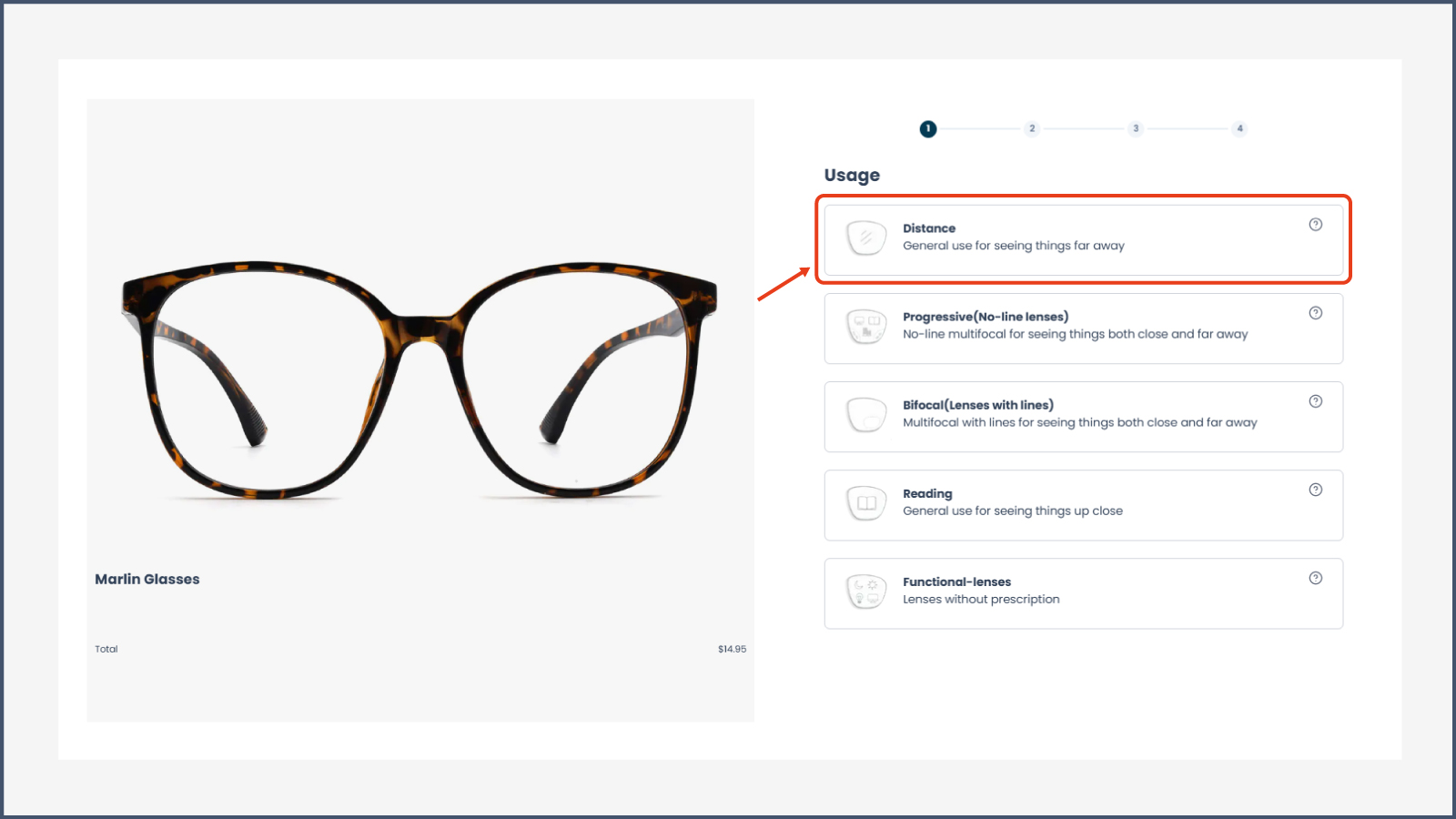
Please select the lens usage based on your prescription and vision needs.
If your prescription includes an ADD value, please choose Progressive, Bifocal, or Reading lenses.
If your prescription does not include an ADD value, please choose Distance lenses.
Of course, if you do not have a prescription and do not need vision correction, you can choose one of our functional lenses, such as blue light blocking lenses.
Step 3
Enter your prescription information or upload prescription paper (No extra info needed after upload) , click "Submit".
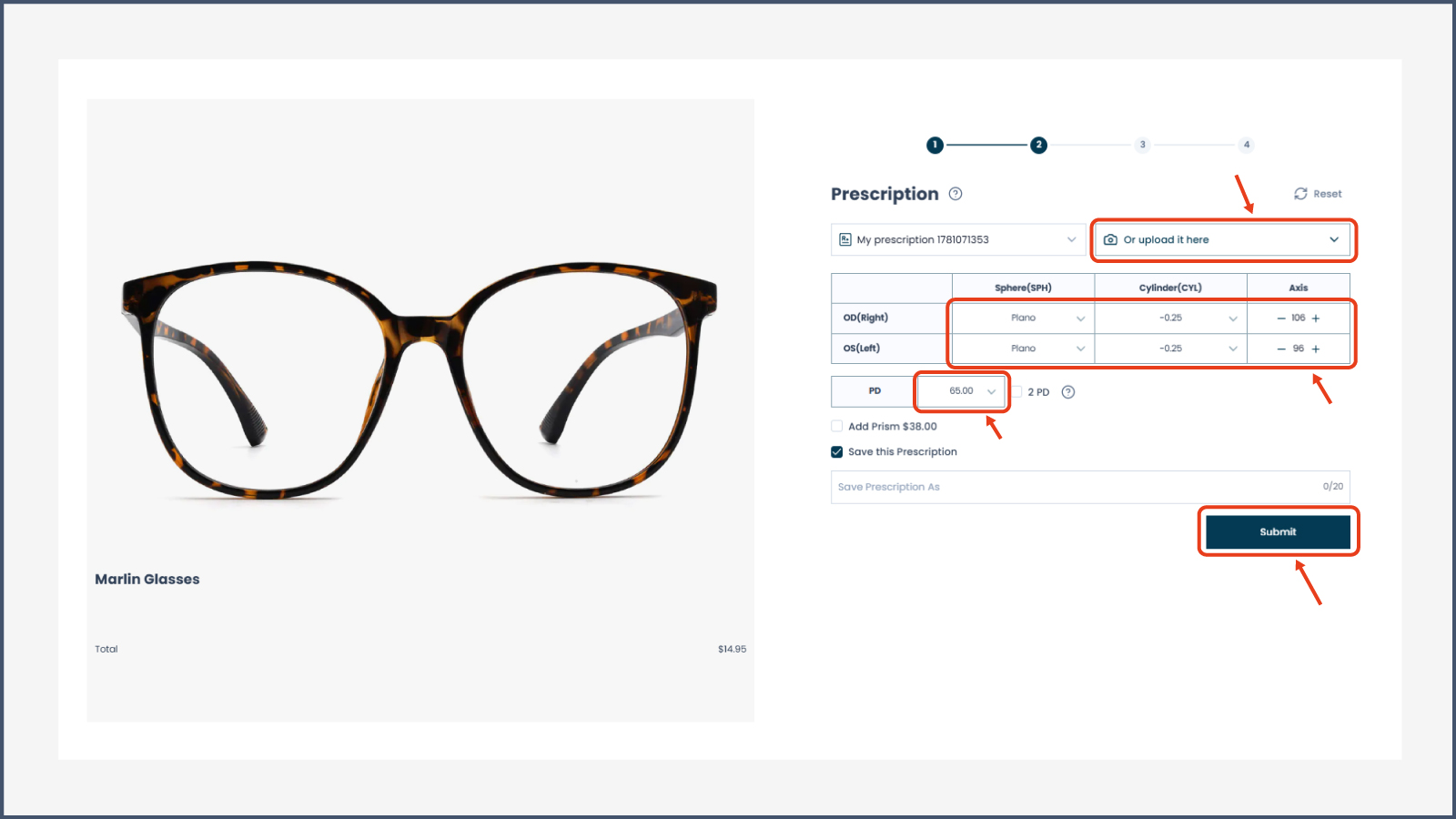
Step 4
Select lens type. While the look of your glasses is important, their functionality is crucial. The quality and features of your lenses contribute most to your satisfaction with your eyewear, and you should pay particularly close attention to the options available to you. The lens thickness you choose is an important first step. Check out our how to choose eyeglass lenses for more info on this.
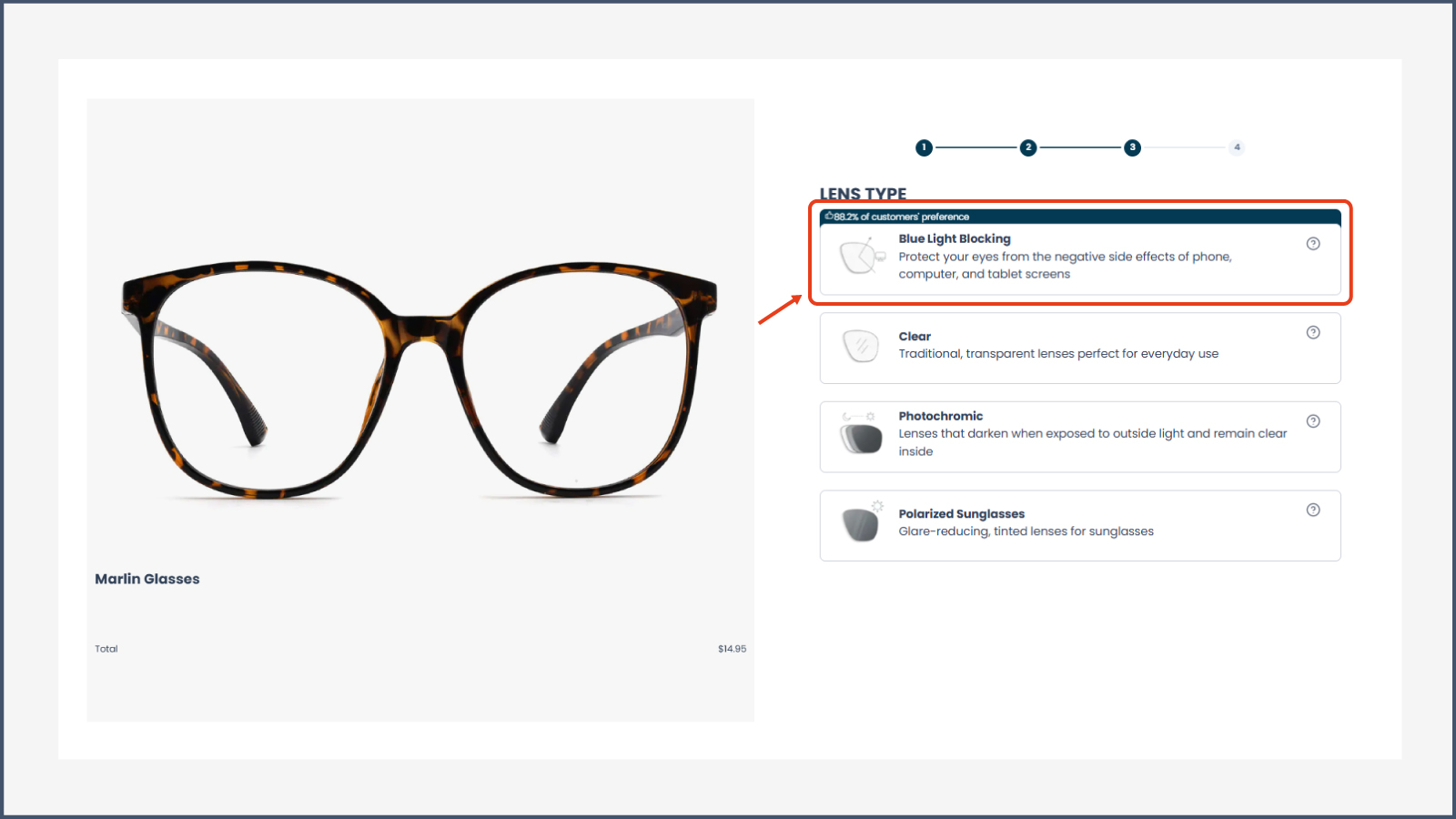
Step 5
Select lens bundle, click "Next".
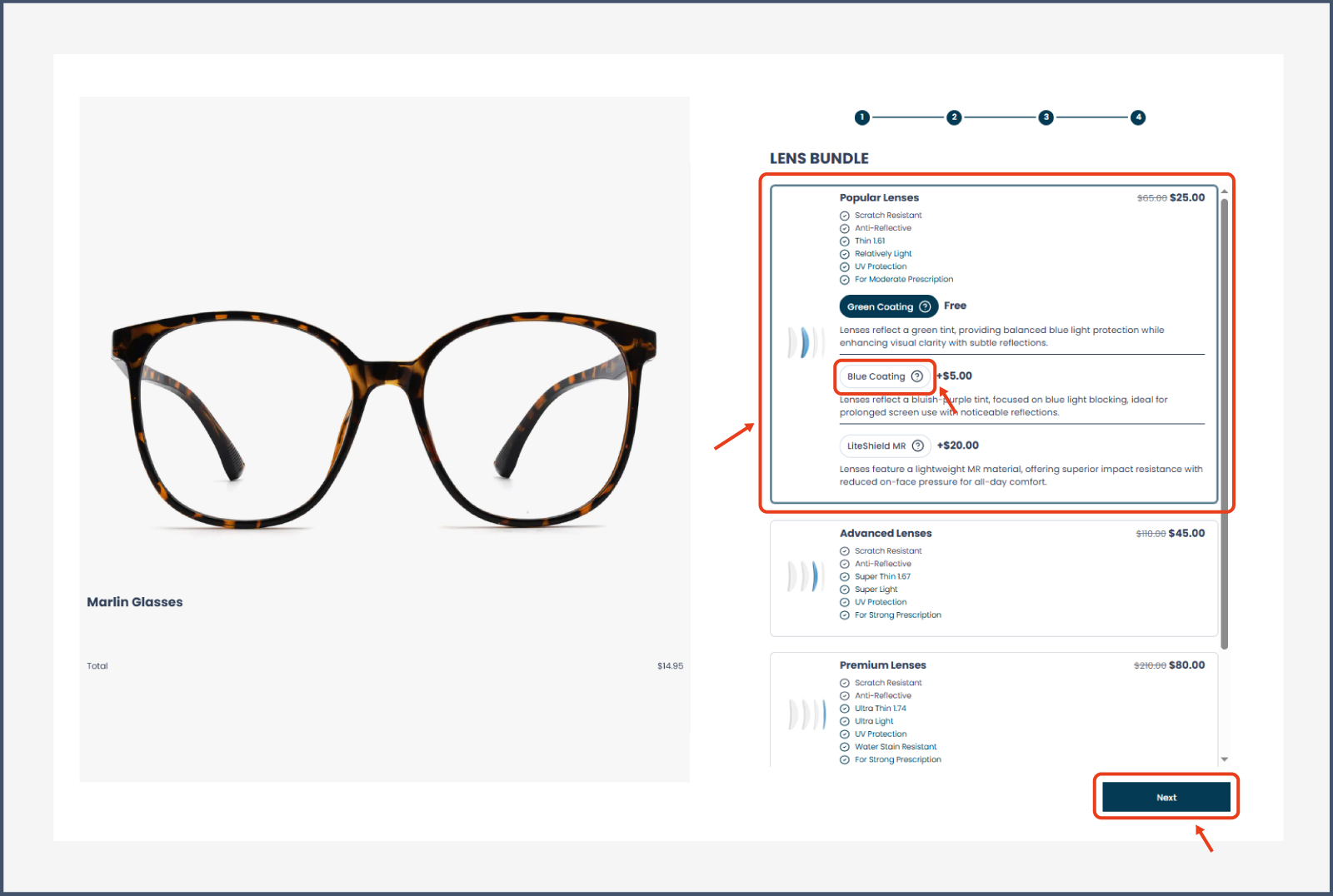
Step 6
Review your selection, click "Add To Cart".
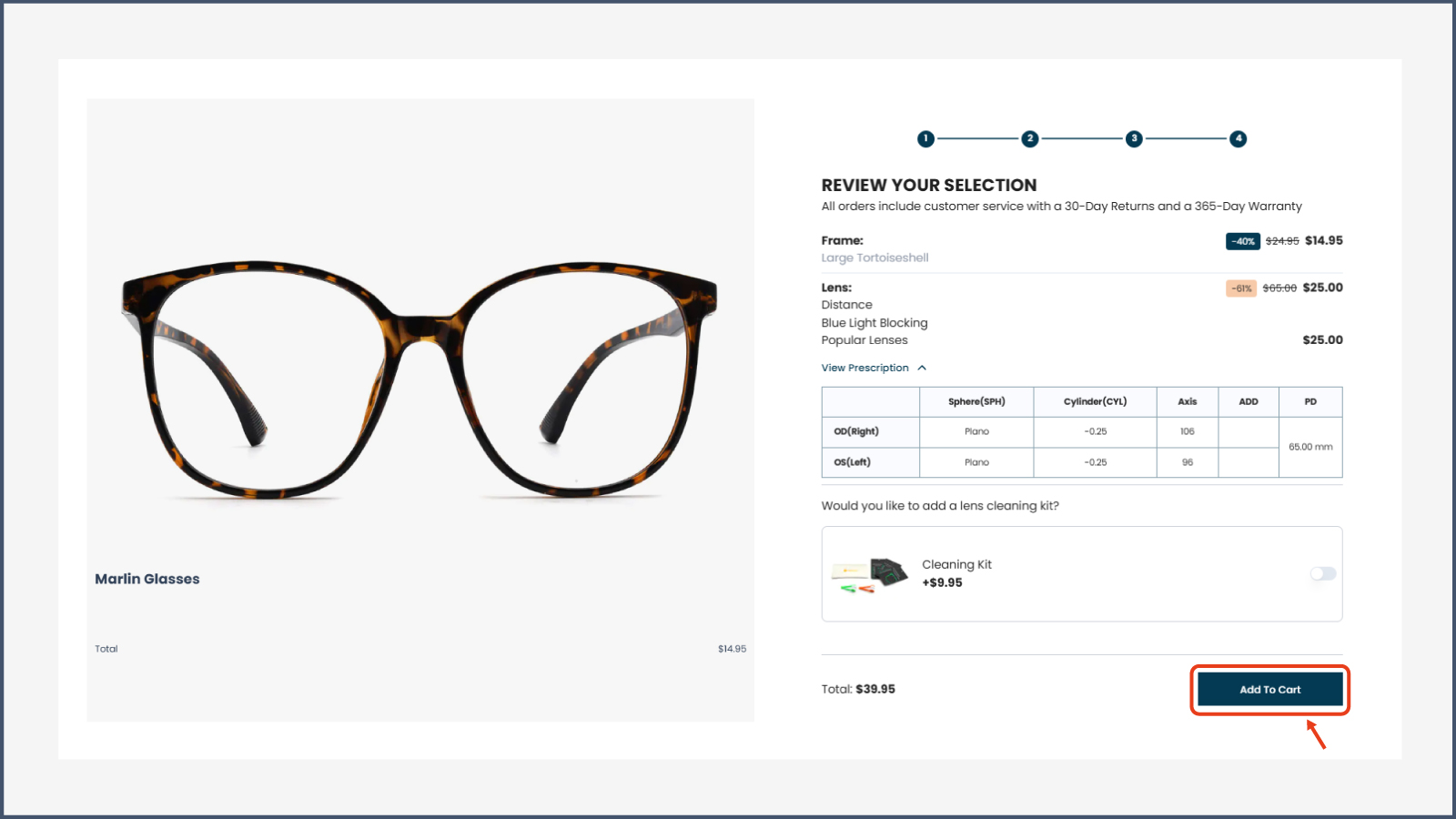
Step 7
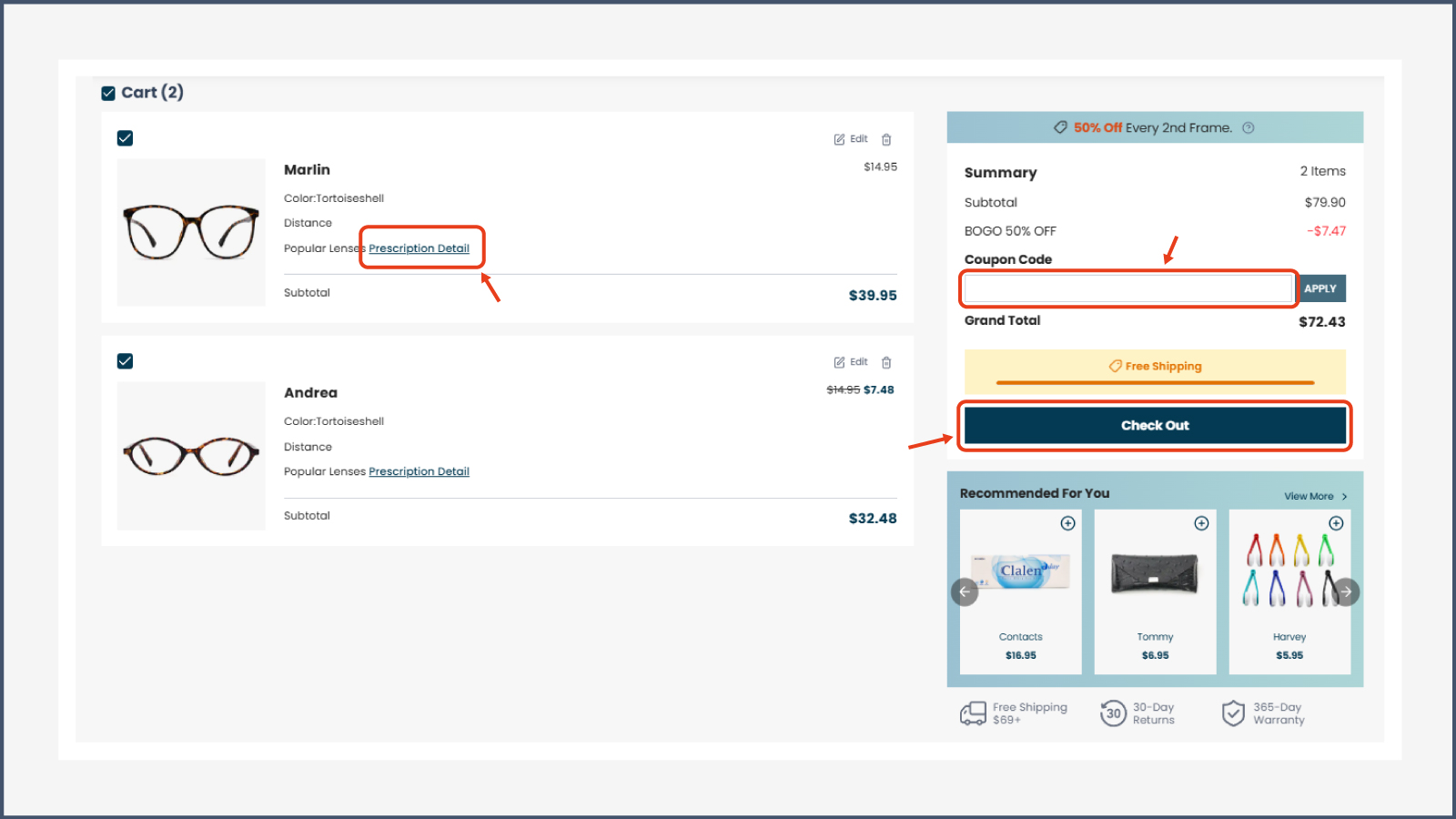
Confirm your order information, apply coupon code, click "Check Out".
Step 8
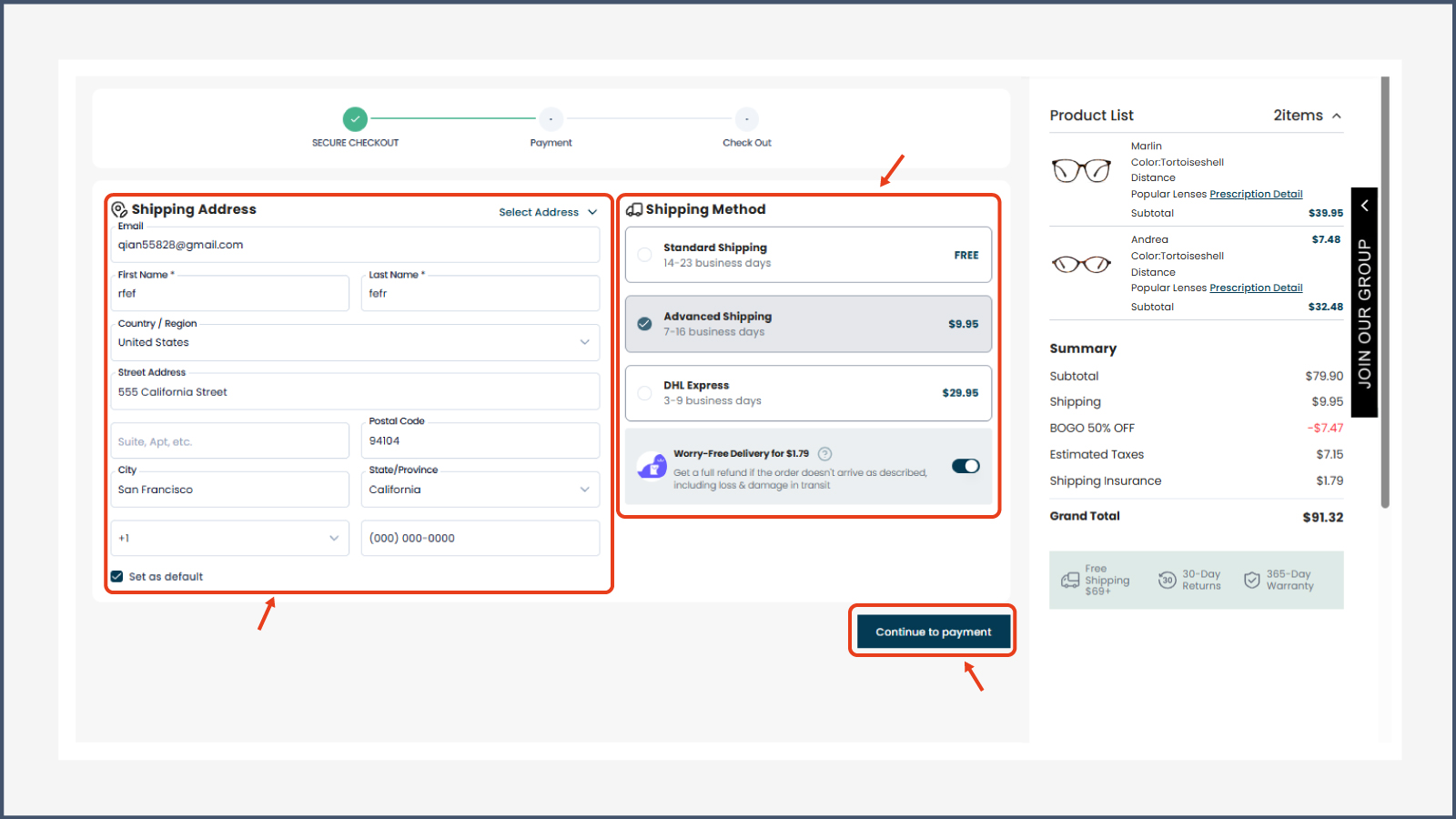
Add your shipping address, choose the shipping method, click "Continue to payment".
Step 9
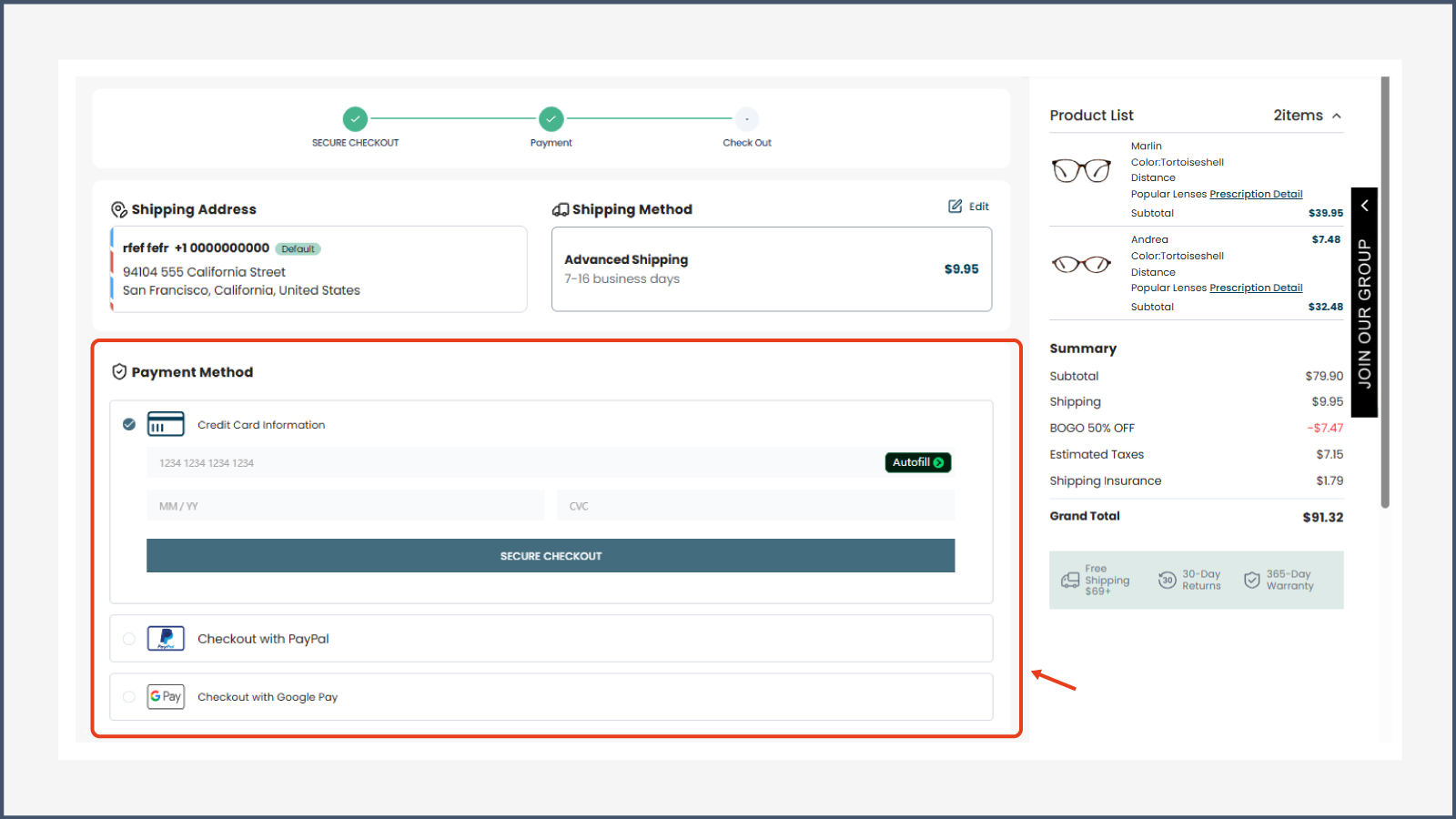
Select and fill in payment information.
Once your payment is successfully completed, we will begin customizing your glasses as soon as possible. Once production is complete, your order will be shipped automatically.
After shipment, the tracking number and order tracking link will be sent to the email address provided during checkout.
If there are any issues with your order, we will contact you by email and may temporarily pause production until the issue has been confirmed and resolved.
Please make sure your email address is entered correctly and can receive emails normally so that we can contact you promptly and keep you updated on your order status.